How to Build an MVP with Laravel (2026 Step-by-Step Guide)
Quick Answer
If you’re asking how to build MVP with Laravel fast, focus on one core workflow, use Laravel Breeze for authentication, Eloquent for CRUD, and a managed cloud for deployment. Codepaper Technologies Inc. supports founders from our ON office at Unit 20 – 120 Woodstream Blvd, helping startups across Canada validate ideas and launch with production-grade Laravel development.
Summary
Shipping an MVP shouldn’t be complicated. This guide shows you how to build MVP with Laravel in a lean, secure, and scalable way—exactly how our team at Codepaper Technologies Inc. helps Canadian startups and enterprises move from concept to release in weeks.
- Plan a razor-sharp scope that validates your riskiest assumption.
- Stand up authentication, CRUD, and a clean UI in hours—not weeks.
- Bake in quality with tests, security basics, and CI/CD from day one.
- Deploy safely, instrument analytics, and iterate with real user feedback.
- Leverage Codepaper’s Laravel development, MVP development, and staff augmentation for expert support.
We use the same approach for clients across fleet management, healthcare, finance, retail, logistics, and more—tailoring the stack to each industry’s compliance and performance needs.
Introduction
Here’s the thing: most MVPs fail because they try to be full products. Your goal isn’t “everything,” it’s “evidence.” With Laravel, you can prove value fast without reinventing the wheel. In the next sections, we’ll walk through decisions that matter, templates you can reuse, and a practical, step-by-step plan you can run over two to four weeks.
- Who it’s for: founders, product managers, and CTOs validating a new workflow or service.
- What you’ll get: a crisp plan to implement auth, core models, CRUD, and a usable interface using Laravel best practices.
- Why Laravel: batteries-included framework that balances speed, security, and scalability—perfect for MVP development.
- Where Codepaper fits: discovery, accelerated build, and managed delivery—plus staff augmentation when you need extra hands.
Before You Start (Prerequisites)
Spend a few focused hours up front to avoid weeks of churn later.
- Business clarity
- Define one persona and one job-to-be-done (JTBD).
- Pick a single success metric (e.g., % of users completing the main task).
- Write a one-sentence value proposition you can test with real users.
- Technical baseline
- PHP 8.2+, Composer, Node 20+, Git installed.
- Database ready (PostgreSQL or MySQL). We often favor Postgres for its extensions.
- Mail testing via Mailhog locally; SMTP or transactional provider on staging.
- Laravel starter
- Breeze for fast, lightweight auth.
- Jetstream if you truly need teams and more scaffolding.
- Keep surface area small—less to debug, faster to ship.
- Design system
- Tailwind CSS for speed and consistency.
- Use a minimal component kit; avoid heavy UI frameworks at MVP stage.
- Local context
- For pilots around Toronto and the GTA, assume privacy-by-default and audit trails—especially for healthcare and finance.
- Plan remote usability sessions when weather or traffic near Hwy 7/Hwy 27 makes in-person testing tough.
Step-by-Step Process
Follow this lean path to get a real, testable MVP in front of users quickly.
1) Define the smallest valuable slice
- Write the single core workflow as three bullets (e.g., create → approve → notify).
- List your top assumptions: user acquisition, willingness to sign in, time-to-value.
- Pick one outcome metric: example, “30% of sign-ups complete Task A in 24 hours.”
- Defer anything that doesn’t reduce risk in the next two weeks.
2) Scaffold the Laravel project
- composer create-project laravel/laravel mvp-app
- cd mvp-app && php artisan key:generate
- composer require laravel/breeze –dev && php artisan breeze:install && npm install && npm run dev
- Configure .env (DB connection, APP_URL, mailer, queue).
- Enable email verification and rate limiting.
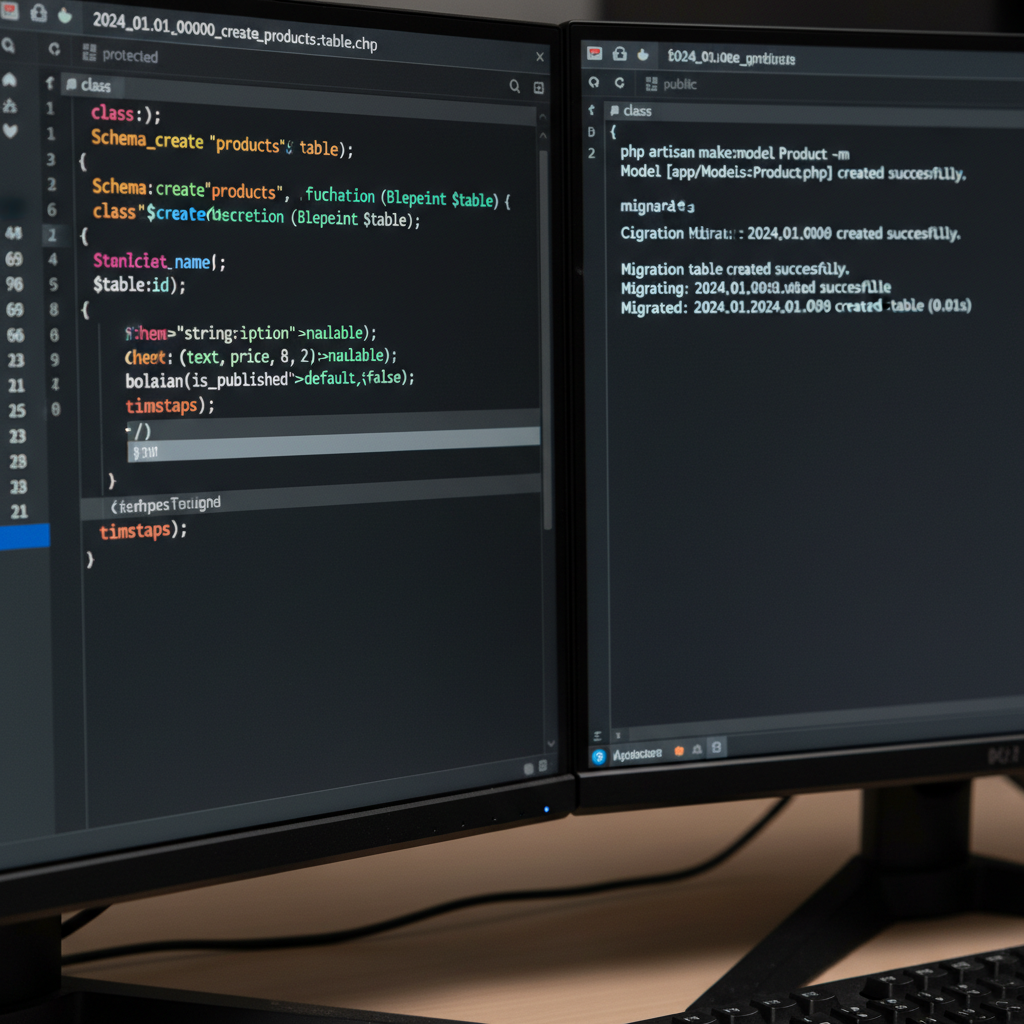
3) Model the domain with Eloquent
- php artisan make:model Product -m
- Design only what the core flow needs: users, products, orders (rename to your domain).
- Seed data: factories and seeders to create realistic scenarios for demos.
- Use soft deletes for reversible actions during testing.
4) Build CRUD and guard rails
- Controllers + Policies to enforce permissions (owner vs. admin behaviors).
- Form Request classes for validation and clean controllers.
- Resource routes and API Resources for future mobile clients.
- Basic activity log (model events) for auditability.
5) Ship a usable UI fast
- Start with Blade + Tailwind for speed and clarity.
- Build three views: list, create/edit form, and detail.
- Make empty states useful (what users should do next).
- Add inline validation and helpful error messages.
6) Add notifications and simple automation
- Laravel Notifications for email; SMS optionally via a provider.
- Queues (Redis) for background jobs like sending emails or generating reports.
- Domain events (e.g., ProductApproved) to decouple side effects.
7) Test the path that matters
- Feature test: from sign-up to completing the main task (happy path only).
- Policy tests: ensure users can only access their own data.
- Include one or two edge cases; don’t aim for perfection yet.
- Use Pest for concise tests; PHPUnit if your team prefers.
8) Automate quality and deploys
- GitHub Actions pipeline: run tests,
pintfor formatting,larastanfor static analysis. - Deploy to a managed cloud or container platform with zero downtime.
- Run migrations safely, with backups and rollback plans.
9) Observe, learn, and iterate
- Instrument analytics to validate assumptions (privacy-aware by default).
- Use error tracking and logs to fix issues before adding features.
- Talk to users weekly; ship small improvements daily.
Tools and Resources (What We Actually Use)
- Laravel Breeze for auth and starter views.
- Pest and PHPUnit for tests; Larastan for static analysis.
- PHP CS Fixer/Pint for formatting; Laravel Pint integrates nicely.
- MySQL or PostgreSQL (managed), Redis for queues and caching.
- GitHub Actions for CI; simple build and deploy jobs.
- Managed cloud hosting to avoid ops overhead in MVP stage.
Need help selecting the right stack pieces for your domain? Our Laravel development services formalize these choices so you can focus on outcomes, not tooling.
Comparison: UI Approaches for a Laravel MVP
| Approach | Pros | Cons | Best when… |
|---|---|---|---|
| Blade + Alpine | Fast, simple, minimal tooling | Limited interactivity | Marketing sites, CRUD MVPs |
| Inertia + Vue/React | SPA feel, shared routes | More build tooling | Rich dashboards |
| Livewire | Reactive without SPA complexity | Can feel magic-heavy | Form-heavy apps |
Local Tips
- Tip 1: Visiting our ON office at Unit 20 – 120 Woodstream Blvd? Plan around Hwy 7 and Hwy 27 rush hours for on-time whiteboard sessions.
- Tip 2: During winter storms, switch in-person tests to remote usability calls and staged rollouts—keeps learning velocity high.
- Tip 3: For Toronto-area pilots, enable audit logs and verification by default—common requirements across healthcare, finance, and logistics partners.
IMPORTANT: These practices reflect how we run discovery and validation with clients across the GTA and Canada.
Troubleshooting
- Migrations won’t run
- Check DB credentials and
DB_CONNECTION. - Run
php artisan migrate:freshand verify permissions.
- Check DB credentials and
- Auth not redirecting
- Confirm middleware on routes (
auth,verified). - Ensure session driver and domain are configured properly.
- Confirm middleware on routes (
- Assets not updating
- Clear caches:
php artisan optimize:clear. - Restart Vite, confirm versions, hard-refresh the browser.
- Clear caches:
- Queue stuck
- Make sure the queue worker is running and Redis reachable.
- Check failed jobs table for context.
- Emails not arriving
- Use Mailhog locally; verify SMTP credentials on staging.
- Check provider dashboards for rate limits and bounces.
Advanced Tips (Optional)
- Feature Flags to ship new flows to a small cohort safely.
- Domain Events and listeners to keep business logic clean.
- API-first if iOS/Android/Flutter apps are on the roadmap.
- CI/CD pipeline early to protect velocity and quality.
- AI automation layered after core value is proven (summaries, recommendations, routing).
- Security essentials: validation, authorization, rate limits, encryption at rest/in transit.
- Observability: log aggregation, error tracking, uptime alerts.
FAQ
How do I choose between Breeze, Jetstream, and Filament?
Pick Breeze for speed and clarity. Jetstream adds teams and extra features that are great if you truly need them. Filament is ideal for admin-heavy back offices. For a first MVP, Breeze keeps the surface area small and helps teams ship faster.
What’s the fastest way to get feedback?
Seed demo data, record a 3-minute walkthrough, and invite 10 target users. Measure one outcome (for example, task completion). Ship small fixes daily for a week before adding features. This rhythm gives sharper insight than a big-bang release.
Can I reuse this backend for mobile apps?
Yes. Expose API routes with Sanctum or Passport, return JSON resources, and keep business logic in services or actions. Your iOS, Android, or Flutter clients can then reuse the same rules and validations.
When should I add AI features?
After you validate the core workflow. Then add AI to reduce steps (summaries, recommendations, routing). Treat models as helpers that amplify value—not the product itself. Our AI automation consultancy can help with responsible integration.
Is Laravel overkill for an MVP?
No. Laravel’s batteries-included approach is designed for this stage: authentication, queues, mail, storage, and testing out of the box. You can start small and scale responsibly by extracting services or moving to containers when signal grows.
Key Takeaways
- Scope the MVP to the riskiest assumption and prove it quickly.
- Use Laravel’s built-ins—auth, Eloquent, queues—to avoid reinventing.
- Automate tests and deploys; iterate with real user feedback weekly.
- Engage partners who’ve shipped dozens of MVPs to de-risk delivery.
Conclusion
- Keep your MVP laser-focused on one job-to-be-done and one success metric.
- Lean on Laravel’s strengths to ship a secure, maintainable foundation quickly.
- Invest early in testing, CI/CD, and observability to maintain speed with quality.
- When you’re ready, Codepaper’s managed delivery, staff augmentation, and Laravel development help you scale without slowing down.
Ready to validate your idea? Meet us at Unit 20 – 120 Woodstream Blvd (ON) or book a virtual session—we’ll map a two-week launch plan grounded in your user journey.
Additional Resources
If you’re weighing custom build versus off-the-shelf, this perspective on build vs. buy decisions can help you frame trade-offs. When selecting a delivery partner, our guidance on choosing the right partner outlines the non-negotiables. Before go-live, run your app through a website launch checklist to avoid last-minute surprises. For ongoing support with frameworks and best practices, see our Laravel development services.
