
Should You Choose Web Application Custom Development or Off-the-Shelf?
Here’s the core question leaders ask when systems start to strain: do we adapt a packaged tool or invest in web application custom development tailored to our workflows? In this complete guide, Codepaper Technologies Inc. shares the exact decision framework, delivery steps, and best practices we use with startups, mid-sized companies, and enterprises across Canada and North America.
Quick Answer
Choose web application custom development when your workflows, integrations, or compliance needs are unique or mission‑critical. Codepaper builds secure, scalable solutions from our ON hub at Unit 20 – 120 Woodstream Blvd, supporting Canadian and North American teams end to end.
Overview
Short version: if your process gives you an edge, build; if your needs are standard and urgency is high, buy. The rest of this guide details how to decide quickly—and how we deliver outcomes fast without trading away quality.
- Who this is for: founders, CTOs, ops leaders, and product managers balancing speed, risk, and differentiation.
- Industries we serve: fleet management, education, food service, finance, construction, manufacturing, solar, healthcare, retail, logistics.
- Services we provide: Custom Software Development, AI Automation Consultancy, Mobile App Development, Web Development, Laravel Development, DevOps Services, eCommerce Development, Data Analytics, Staff Augmentation.
- Engagement options: managed delivery, dedicated product teams, or staff augmentation (add specialists on demand).
What Is Custom Web App Development?
Custom web apps are built around your exact processes, users, and constraints. Instead of bending your business to fit software, the software fits you—and evolves as you grow.
- Tailored features: Map to real workflows—not generic templates.
- Flexible integrations: ERP, CRM, TMS, telematics, payment gateways, analytics.
- Security by design: Architecture, code, and operations align with your risk posture.
- Scalability: Capacity and performance tuned to peak periods and growth.
- Ownership: You control roadmap, data, and deployment strategy.
Where Off-the-Shelf Fits
- Standard processes: Use proven SaaS when your needs match common patterns.
- Fast start: Configure quickly to unblock teams and validate value.
- Lower initial lift: Avoid building undifferentiated features.
You can also combine both: use SaaS for commodity capabilities, then layer custom modules for your differentiators.
Why Web Application Custom Development Matters in 2026
Across Canada, teams tell us they’ve outgrown generic tools. Processes are unique, integrations are fragile, or compliance demands more control than a vendor allows.
- Customer expectations: Seamless, mobile-first, and secure by default.
- AI automation: Human-in-the-loop workflows require custom logic and audit trails.
- Compliance pressure: Data residency and access controls are table stakes with enterprise partners.
- Real ROI: Custom reduces integration tax, vendor lock-in, and feature gaps over time.
- Competitive edge: Unique UX and business logic become a durable advantage.
Codepaper’s mission aligns with this shift: launch meaningful value fast, keep enterprise-grade quality, and scale with confidence.
How It Works (Step-by-Step)
This is the delivery flow we use with startups, mid-sized businesses, and enterprises. It’s pragmatic, measurable, and fast.
1) Discovery & Alignment
- Stakeholder interviews: Clarify business goals, constraints, and success metrics.
- Process mapping: Document current → target workflows to surface bottlenecks and opportunities.
- Risk & compliance scan: Identify PII/PHI handling, audit needs, and data residency.
- Solution outline: High-level architecture, incremental releases, and measurable outcomes.
2) Product Shaping
- MVP definition: The thinnest slice that proves value in weeks, not months.
- UX wireframes: Validate critical user journeys with clickable prototypes.
- Backlog creation: Prioritize by business value, effort, and technical risk.
- Governance: Clear definition of done; checklists beat gatekeeping.
3) Architecture & Standards
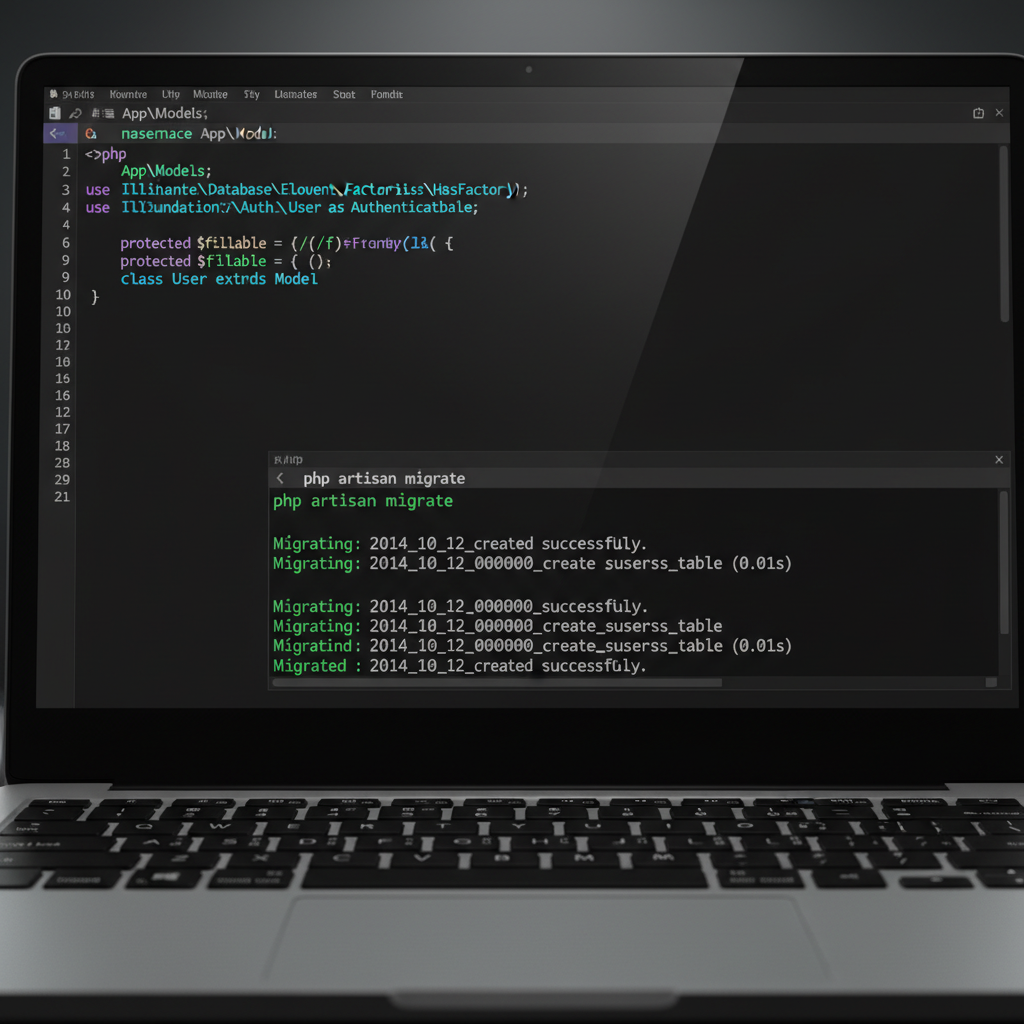
- Backend: Laravel or Node.js for robust APIs and domain logic.
- Frontend: React or Vue.js for accessible, responsive interfaces.
- Mobile: Flutter for iOS/Android; native only when device capabilities demand it.
- Data: Postgres/MySQL; caching; event streaming when throughput or auditability requires it.
- Cloud: Containers (Docker), orchestration (Kubernetes), infrastructure as code.
- Security: AuthN/AuthZ patterns, secrets management, encryption at rest and in transit.
4) Delivery & DevOps
- CI/CD pipelines: Build, test, and deploy per environment with automated checks.
- Branching: Trunk-based or GitFlow aligned to release cadence and team size.
- Quality gates: Unit + integration tests, code scanning, performance baselines.
- Observability: Metrics, logs, traces; error budgets that keep SLOs honest.
5) Hardening & Launch
- Security validation: Threat modeling; remediation for common vulnerabilities.
- Load testing: Validate peak traffic and data growth scenarios.
- Cutover plan: Data migration checklist, rollback paths, and comms plan.
- Stabilization: Post-launch support with fast feedback loops.
6) Evolve & Scale
- Roadmap iteration: Ship thin slices; measure adoption and outcomes.
- Fitness functions: Review modular boundaries and scaling patterns as usage grows.
- Team models: Expand with staff augmentation or a dedicated product squad.
Want the high-level version? Our internal build vs buy playbook and 2026 expectations checklist lay out the big rocks.
Approaches & Architectures
There’s no single “best” stack. Choose the approach that fits your constraints: time, team, integrations, and growth plans.
Monolith‑First (Modular Inside)
- Use when: MVP or early-stage product where speed and simplicity matter most.
- Why it works: Fewer moving parts; faster delivery; easier observability.
- How we do it: Laravel backend with modular domains; React/Vue frontends; clear boundaries for future extraction.
Service‑Oriented to Microservices
- Use when: Scaling hotspots, independent roadmaps, or complex domain ownership.
- Why it works: Team autonomy and targeted scaling where it counts.
- How we do it: Containerized services, API gateway, centralized auth, and robust observability.
Event‑Driven Systems
- Use when: High throughput, asynchronous workflows, auditability, or eventual consistency needs.
- Why it works: Decouples producers and consumers; supports replay and backfill.
- How we do it: Message bus, idempotent consumers, dead‑letter handling, and clear semantic events.
Hybrid: SaaS + Custom
- Use when: SaaS covers commodity functions; your differentiators need custom logic and UX.
- Why it works: Faster time‑to‑value while focusing engineering on what sets you apart.
- How we do it: Integration layer, single sign‑on, consistent design system, and data sync patterns.
Build vs Buy Comparison
| Factor | Custom Build | Off‑the‑Shelf |
|---|---|---|
| Fit to process | Exact match to your workflows | Close if your process is standard |
| Integrations | Anything you need, by design | Limited to vendor options |
| Time to first value | Weeks for an MVP | Days if you can configure quickly |
| Security & compliance | Tailored controls and audits | Shared controls; vendor roadmap |
| Long‑term flexibility | Full control of roadmap | Bound to vendor features and changes |
| Ownership of data | You decide storage, retention, residency | Vendor policies may limit options |
Best Practices That Keep Projects On‑Track
These habits separate successful custom builds from endless rewrites. They’re baked into how Codepaper delivers.
Product & Discovery
- Define measurable outcomes: Activation, cycle time, error rate, or revenue proxy.
- Start thin: Deliver a narrow slice end to end to prove value fast.
- Design for change: Expect requirements to evolve; avoid premature optimization.
- Decision logs: Capture trade‑offs so future teams understand “why.”
Architecture & Code
- Monolith‑first: Keep it simple until complexity proves otherwise.
- Stable contracts: Explicit API and domain boundaries to enable parallel work.
- Automate the basics: Linting, testing, and deployments on every commit.
- Accessibility: WCAG‑aligned patterns; semantic HTML; keyboard navigation; color contrast checks.
Security & Privacy
- Least privilege: Lock down data and infra access.
- Secrets management: No credentials in code; rotate routinely.
- Audit trails: Log sensitive events and configuration changes for traceability.
- Defense in depth: Multiple layers—network, app, and runtime protections.
Delivery & Operations
- Continuous feedback: User validation after each release.
- Error budgets: Balance feature velocity with reliability targets.
- Blameless postmortems: Improve the system, not just the symptoms.
- Runbooks: Document known failures and recovery steps so on‑call stays calm.
Tools & Resources
Stacks vary by project, but these categories show up in most custom web apps we build and run.
- Backend: Laravel, Node.js with TypeScript for clear contracts.
- Frontend: React, Vue.js with a shared design system.
- Mobile: Flutter for cross‑platform speed; native for device‑heavy work.
- DevOps: CI/CD pipelines, containerized deployments, infrastructure as code.
- Data: Relational databases, caching layers, event streaming when needed.
- Security: AuthN/AuthZ, encryption, scanning, and runtime monitoring baked into pipelines.
- Quality: Unit, integration, and end‑to‑end tests; performance and accessibility checks.
For a service perspective on delivery standards, our web development overview and mobile engineering snapshot show how we keep quality high from sprint zero.
Case Studies & Examples (Anonymized)
Below are 13 scenarios we’ve solved for Canadian organizations, mapped to common pain points from our discovery sessions.
1) Fleet Management: Dispatch & Driver App
- Pain: TMS couldn’t support region‑based dispatch rules and partner SLAs.
- Build: Laravel API + React admin + driver app; telematics and invoicing integrations.
- Outcome: Faster routing decisions and fewer manual handoffs.
2) Education: Hybrid LMS Extensions
- Pain: Needed proctoring, custom rubrics, and bilingual UX.
- Build: SSO into mainstream LMS; extension layer; analytics dashboard.
- Outcome: Better student experience and reporting.
3) Food Service: Franchise Management System
- Pain: Vendor tools failed on franchise‑level menu exceptions and regional inventory rules.
- Build: Purpose‑built web app for inventory, promotions, and compliance.
- Outcome: Streamlined operations with consistent brand controls.
4) Finance: Secure Client Portal
- Pain: Needed granular roles, encryption, and exportable audit logs.
- Build: Hardened auth/permissioning; full event log capture; reporting.
- Outcome: Passed partner security reviews; reduced manual audits.
5) Construction: Work Order Orchestration
- Pain: Paper approvals slowed jobs and increased errors.
- Build: Web + mobile app with offline‑first patterns and photo capture.
- Outcome: Shorter cycle times and fewer discrepancies.
6) Manufacturing: Equipment Maintenance Portal
- Pain: Missed preventive maintenance and limited visibility across plants.
- Build: Custom portal with IoT hooks; alerts; parts inventory sync.
- Outcome: Improved uptime and predictable maintenance planning.
7) Solar Energy: Project Pipeline Manager
- Pain: Disconnected spreadsheets for site surveys, permits, and installation.
- Build: Centralized workflow tool; GIS map view; e‑signature integrations.
- Outcome: Clear visibility from lead to activation; fewer blockers.
8) Healthcare: Consent‑Aware Scheduling
- Pain: Complex consent and region‑specific data rules.
- Build: Custom scheduling module with consent flows and automated redaction.
- Outcome: Privacy‑first operations aligned to regional requirements.
9) Retail & eCommerce: Unified Promotions Engine
- Pain: Inconsistent discounts across POS and eCommerce vendors.
- Build: Central rules engine with API hooks; campaign analytics.
- Outcome: Consistent offers and reliable performance reporting.
10) Logistics: Carrier Performance Dashboard
- Pain: Difficult to compare carrier SLAs and on‑time metrics.
- Build: Data ingestion + analytics; scorecards; exception alerts.
- Outcome: Better routing decisions and partner accountability.
11) Education: Micro‑Credential Platform
- Pain: Needed short programs with dynamic prerequisites and badges.
- Build: Enrollment logic; credentialing; employer verification portal.
- Outcome: Flexible pathways and improved employer alignment.
12) Food Service: Supply Chain Visibility
- Pain: Seasonal stockouts and manual forecasting.
- Build: Vendor feeds; demand forecasting; store‑level reorder rules.
- Outcome: Fewer stockouts and better freshness control.
13) Finance: Advisor Compliance Assistant
- Pain: Manual supervision and documentation burden.
- Build: Case management; policy checks; exportable audit packs.
- Outcome: Faster reviews and clearer audit trails.

For how these translate into delivery standards, skim our custom vs off‑the‑shelf primer and service pages for custom software development in Toronto.
Decision Framework: Build or Buy?
Score each item from 1 (low) to 5 (high). If your total is 15 or more, custom usually wins.
- Uniqueness of workflow: Is your process a real differentiator?
- Integration complexity: Do you need several bi‑directional connections?
- Compliance requirements: Do you need custom controls, logs, or residency?
- Change velocity: Will requirements evolve quickly in the next year?
- User experience: Will UX be a primary competitive edge?
- Data ownership: Do you require full control over data storage and lifecycle?
If most answers lean “yes,” explore an MVP to validate fast. If not, configure a strong SaaS and revisit in a quarter.
Security & Reliability Essentials
Security isn’t a checklist at the end; it’s part of every decision from auth to deployment.
- Authentication & authorization: Centralized identity, SSO, and least‑privilege roles.
- Secrets & keys: Managed in secure vaults; rotated on a schedule.
- Data protection: Encryption at rest/in transit; tested backup and restore.
- Vulnerability management: Automated scanning; prioritized patching; dependency hygiene.
- Operational resilience: Health checks, autoscaling, graceful degradation, and chaos drills.
For teams building in Toronto and the GTA, we often pair security reviews with release planning workshops at our Woodstream Blvd office to keep risk and delivery aligned.
Team Models: Managed Delivery or Staff Augmentation
Extend your in‑house team or delegate outcomes—whichever fits your bandwidth and goals.
- Managed delivery: We own scope, schedule, and quality—ideal for founders and lean teams.
- Dedicated team: Long‑term product work with predictable cadence and embedded rituals.
- Staff augmentation: Add vetted specialists (Laravel, React/Vue, Flutter, DevOps) to accelerate specific workstreams.
See our perspective on custom software development services and mobile app development in Toronto for engagement options and delivery principles.
Prefer a neutral build‑vs‑buy assessment? Book a 60–90 minute discovery with Codepaper. We’ll map workflows, score the decision, and outline a pragmatic MVP. Visit our ON hub at Unit 20 – 120 Woodstream Blvd or meet virtually.
Leaders often start with our concise 2026 expectations guide to align stakeholders before the session.
Local Tips
- Tip 1: If you’re visiting our ON office on Woodstream Blvd, plan around Highway 7 and Highway 427 rush hours for on‑time workshops.
- Tip 2: Winter weather can slow travel in the GTA; we’ll switch to virtual discovery if roads are icy so momentum doesn’t stall.
- Tip 3: For pilot rollouts with retail or restaurant teams, schedule deployments outside weekend peak periods to minimize operational impact.
IMPORTANT: These tips help you get the most from onsite design sprints, stakeholder interviews, and user testing aligned with our managed delivery model.
FAQ
-
How do I decide between custom development and off‑the‑shelf?
Use the decision framework above. If workflows are unique, integrations complex, or compliance strict, custom often wins. When needs are standard and speed is everything, start with a strong SaaS and revisit custom later with an MVP to validate.
-
What stack does Codepaper usually recommend for web apps?
We commonly use Laravel or Node.js for APIs, React or Vue.js for web, and Flutter for mobile. We containerize with Docker and automate deployments with CI/CD. The exact stack depends on your use cases, integrations, and team preferences.
-
Can we start small and scale up?
Yes. We favor a modular monolith MVP, then evolve to services only when the data shows it’s needed. This reduces overhead while keeping future options open as adoption grows.
-
Do you support modernization of legacy systems?
Absolutely. We assess your current estate, prioritize high‑impact areas, and execute a phased plan—wrapping with APIs, re‑platforming, or re‑building modules to improve reliability, performance, and user experience.
-
What engagement options are available?
Managed delivery, dedicated product teams, and staff augmentation. We can collaborate onsite at our ON office (Unit 20 – 120 Woodstream Blvd) or work fully remote across North America.
Key Takeaways
- Use web application custom development when process, integrations, or compliance are unique.
- Start with a thin MVP, verify impact, and expand in steady slices.
- Keep security, accessibility, and observability first‑class from day one.
- Prefer simple architectures first; evolve only when data proves the need.
- Match the team model—managed, dedicated, or augmented—to your bandwidth.
Next Step
Ready to make a confident build‑vs‑buy call? Book a discovery session with Codepaper Technologies Inc. We can meet at our ON office (Unit 20 – 120 Woodstream Blvd) or online—whatever keeps your project moving.
For additional context, skim our build vs buy playbook and 2026 expectations checklist to align stakeholders fast.
